Scanned PDF vs Digital PDF
A digital PDF stores real text, fonts and vector shapes, so you can select, search and copy it. A scanned PDF stores each page as a picture of a sheet of paper. It looks like a document, but the computer sees pixels, not words.
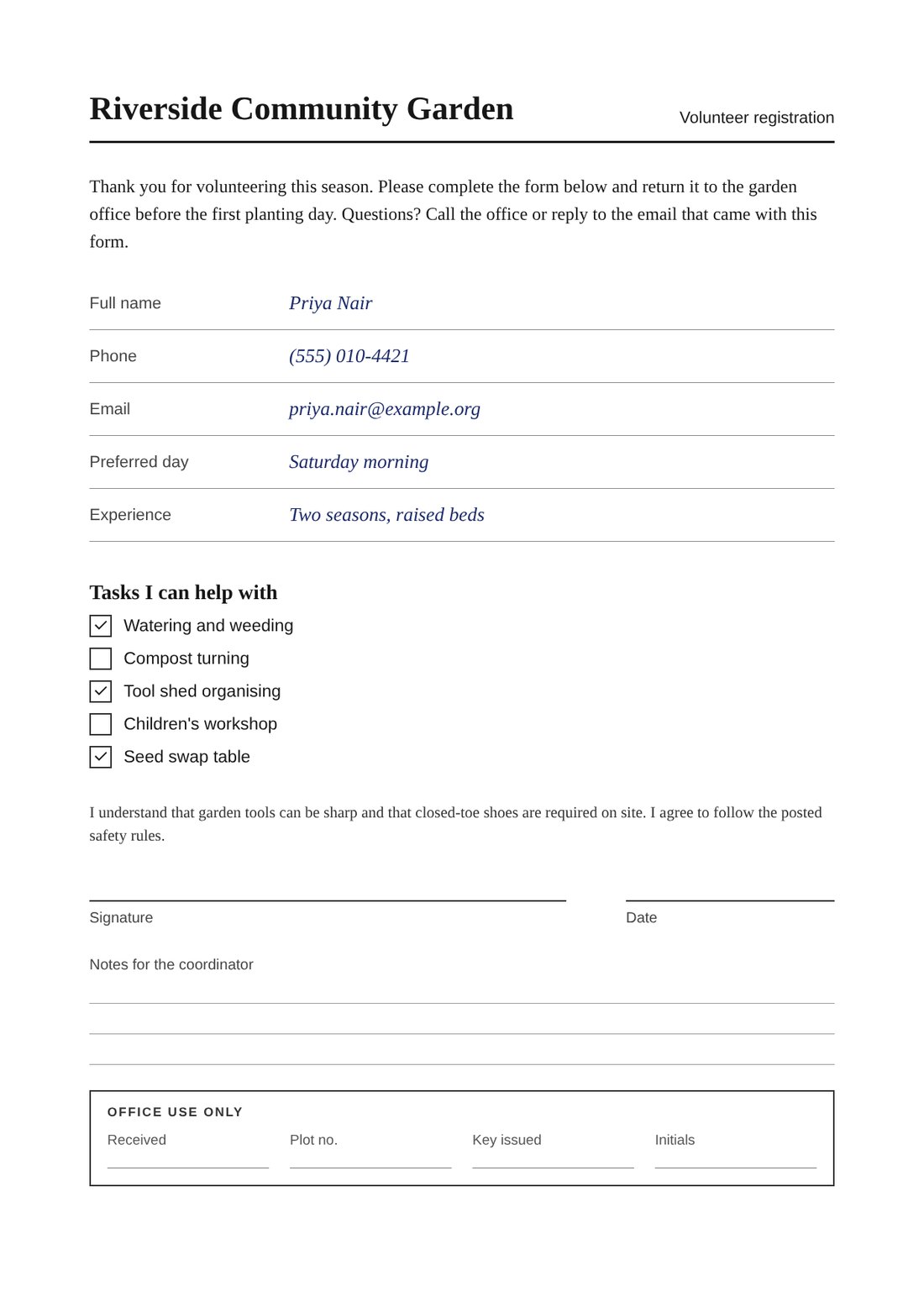
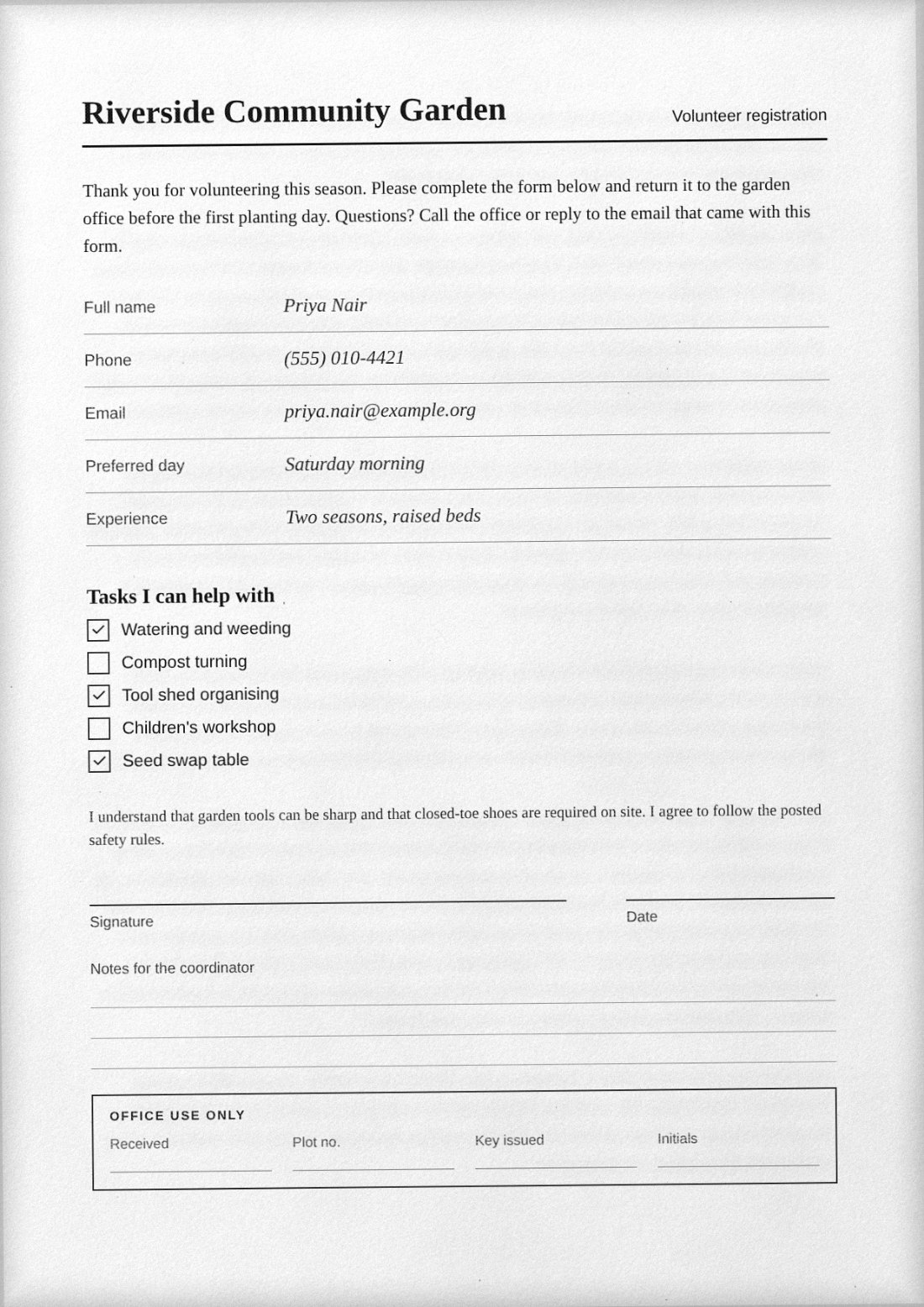
That one difference drives almost everything else: file size, searchability, sharpness when you zoom, accessibility and how easily the file can be edited. Neither type is better in general. They suit different jobs, and some forms specifically ask for a scanned copy.
Side-by-side comparison
| Property | Digital (born-digital) PDF | Scanned PDF |
|---|---|---|
| What a page contains | Text with embedded fonts, vector graphics, sometimes images | One or more raster images, usually one per page |
| Select and copy text | Yes | No, unless OCR text was added afterwards |
| Search (Ctrl/Cmd+F) | Yes | Only with an OCR text layer |
| Zoom quality | Stays sharp at any zoom | Fixed by the scan resolution; blurs when enlarged |
| Typical file size | Small for text pages | Larger, depends on DPI and compression |
| Screen readers | Can read it if properly tagged | Cannot read it without OCR |
| Editing | Edit text in a PDF editor | Needs OCR or retyping |
| Look | Clean, perfectly straight | Slight tilt, paper texture, noise |
How to tell which one you have
- Try to select a word. Click and drag across a line of text in your PDF viewer. If it highlights word by word, the text is real. If a big rectangle highlights, or nothing does, the page is an image.
- Search for a word you can see. A digital PDF finds it. A plain scanned PDF reports no matches.
- Zoom to 400 percent. Digital text keeps crisp edges. Scanned text turns into visible squares and soft fringes.
- Check Document Properties. The producer field often names a word processor for digital files, or a scanner or scanning app for scans. This is a hint, not proof.
Be aware of the in-between case. Many scanning apps and office scanners run OCR and add an invisible text layer behind the picture. Such a file looks scanned but can still be searched. That is sometimes called a searchable PDF.
Why someone would ask for a scanned copy
Requests for a "scanned copy" are common with signed forms, application packets, supporting letters and anything that was originally paper. Reasons vary. The recipient may want to see a handwritten signature, their upload portal may accept only image-style PDFs, or their process simply treats a flat image as a record that cannot be casually edited. If that is what a form asks for, giving a clean digital file a scanned appearance is a reasonable way to meet it, provided the content itself is true and unchanged.
When to keep a digital PDF instead
- The recipient needs to search, copy or quote the text.
- You need accessibility for screen-reader users.
- The file will be printed at large sizes, where vector text prints sharper.
- Smaller size matters and the page is mostly text.
- The form accepts or requires a digital or e-signed file.
Converting between the two
Digital to scanned. In ScanKit, open the PDF on the PDF → Photo tab. Choose a Preset, set Capture style to Flatbed scan or Phone photo (camera), and adjust the Paper, Printer and Scanner groups. Each page is rasterised in your browser and written back as a full-page JPEG inside the PDF. The Resolution (DPI) slider runs from 72 to 300 with a default of 150, and JPEG quality from 20 to 95 with a default of 72.
Paper or photo to scanned PDF. The Photo → Scan tab lets you take or choose a photo, set the corners with Auto-detect, then choose Original, Magic color, Grayscale or Black & white before Add page.
Scanned to digital. That direction needs OCR, which ScanKit does not do. Use a dedicated OCR tool, and check the recognised text against the page, because OCR makes mistakes with small print, handwriting and skewed pages.
Honest limits
A scanned-look export from ScanKit is image-based: its text is not selectable or searchable, and it will not be as small as the original digital file for text-only pages. Keep the original. Do not use a scanned look to disguise a file’s origin; the point is to meet a request for a scanned copy, not to mislead anyone about what the document is. Two PDF downloads a day are free (up to three a week from one internet connection); unlimited downloads are $4.99 / month via PayPal, renewing monthly until cancelled in PayPal.
Responsible use. Use ScanKit on your own documents, with your own signature or one you are authorised to apply, and never to alter or fabricate records. See the acceptable use policy.
Frequently asked questions
Is a scanned PDF the same as an image?
Mostly. Each page is stored as a raster image inside a PDF wrapper, which adds page size and ordering. Some scanned PDFs also carry a hidden OCR text layer.
Which is smaller, scanned or digital?
For text pages, digital is usually much smaller. Scanned size depends on DPI, colour and JPEG quality, so a scan can range from a few hundred kilobytes to several megabytes per page.
Can a scanned PDF be made searchable?
Yes, by running OCR, which adds an invisible text layer. ScanKit does not do OCR, so use a separate tool for that step.
Does a scanned PDF look more official?
No. Appearance does not make a document valid. What matters is that its contents are genuine and what the recipient actually requires.
Do I lose quality converting digital to scanned?
Yes, by design. The page becomes pixels, so it cannot stay vector-sharp, and JPEG compression adds some loss. Higher DPI and JPEG quality reduce this.
Need a scanned copy of a digital file?
Open your PDF in the browser, choose a look and download. Two PDFs a day are free.
Keep reading: how to reduce the file size of a scanned PDF, PDF to scanned PDF and how to make a PDF look scanned.